


SK APP — Big Update! 🚀
Welcome to SK APP 2.0
We’re excited to introduce a major update packed with powerful new features and improvements designed to make your workflow faster, easier, and more flexible.
✨ What’s New?
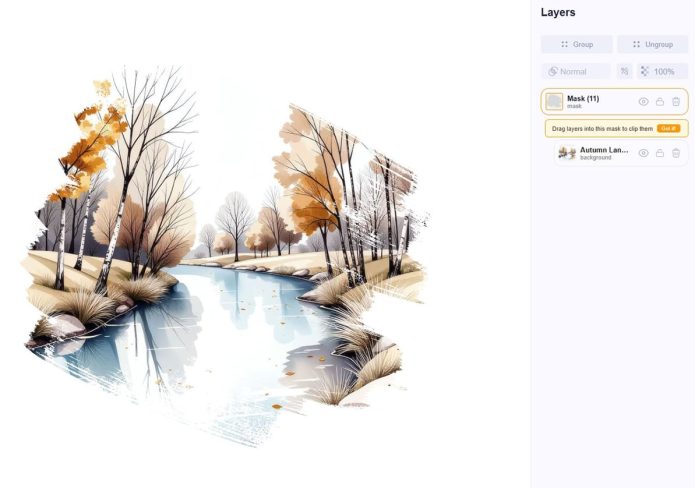
🧩 PNG Masks
Now available in Elements → Masks
Easily place your characters inside masks and hide unnecessary parts with just a few clicks.
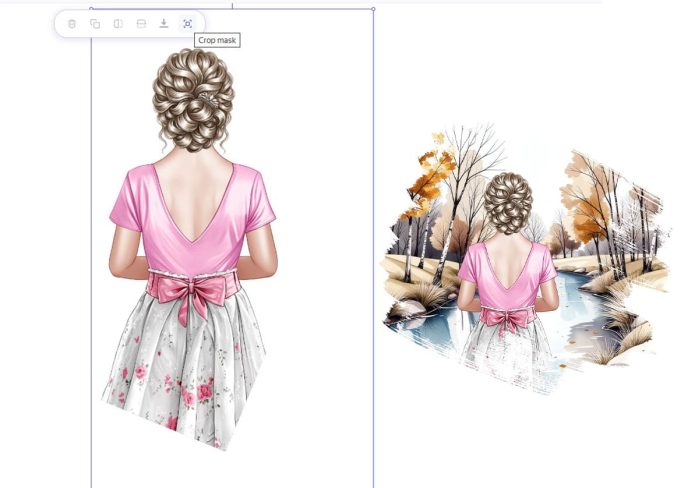
✂️ Crop Masks
You can now crop layers and groups directly on the canvas.
Simply click on a layer or group and use the new Crop button in the context menu.
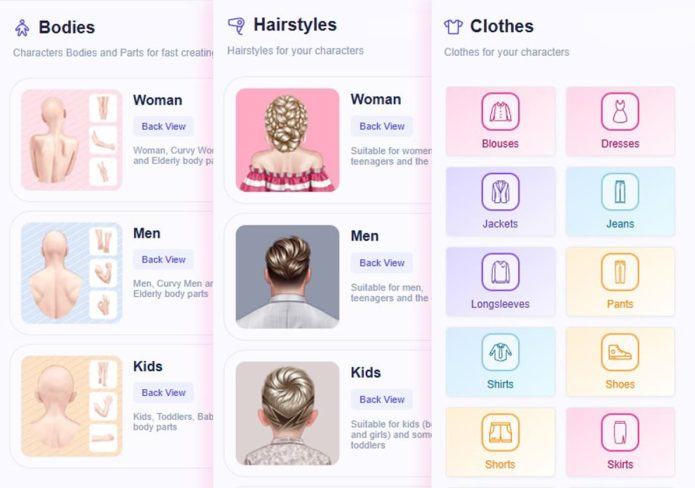
🧍 Character Bodies Panel
Creating custom characters is now much easier.
You’ll find everything you need in the new Bodies panel — including arms, legs, heads, and more.
💇 Hairstyles Panel
Even though hairstyles can be changed via right-click, many of you asked for a dedicated panel — and we listened.
The new Hairstyles panel is now available for faster and more convenient editing.
👗 Clothing Section
A brand new Clothing panel has been added.
It’s небольшая for now, but will be regularly updated with versatile pieces that fit most characters.
Available free for all subscribers.
📄 High-Quality Downloads
You can now download your designs in PDF format, and all formats are exported in 300 DPI for print-ready quality.
🔥 The Biggest Features
📁 Upload Your Own Files
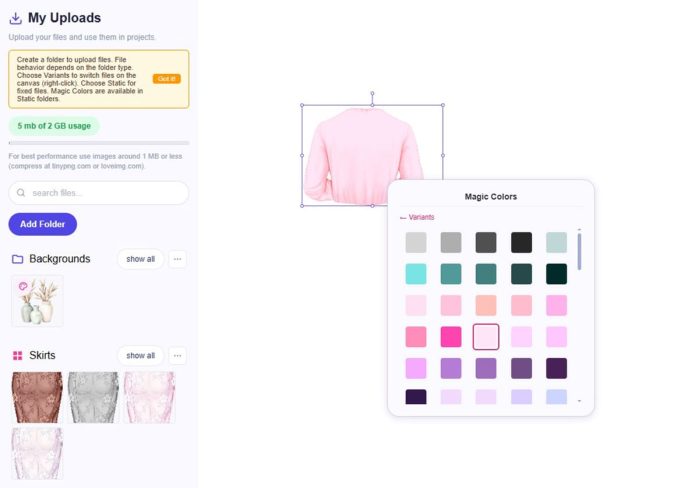
You can now upload your own assets directly into the app and use them in your projects.
You can create two types of folders:
Variant Folders
Upload multiple variations (for example, 10 skirt colors) and switch between them on the canvas with a right-click, just like native assets.
Static Folders
Perfect for backgrounds or fixed elements that shouldn’t be replaced.
These folders support an amazing feature:
Magic Colors
Apply ready-made color presets to your images instantly.
Enable Magic Colors for an asset, then right-click it on the canvas to switch between color variations.
💡 Works best with simple, light, and single-color images
Since the effect overlays color on top of the image, avoid using it on dark or complex graphics.
💣 Game-Changer: Publish Your Templates
You can now publish your templates and start earning passively.
What’s included:
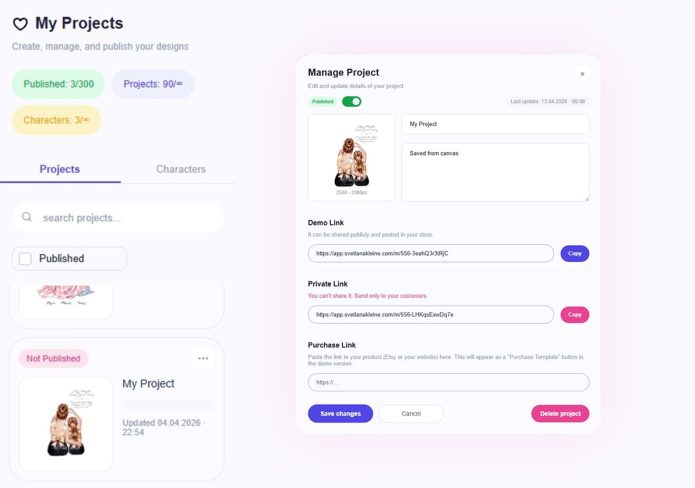
- A redesigned My Projects panel
- Simple publishing flow — just click Settings → Publish
After publishing, you’ll get two links:
🔗 Demo Link
Share it anywhere — your customers can preview the template, edit text, and customize colors.
🔒 Private Link
A full-access version without watermark and with download enabled.
Use this link for delivering files after purchase (do not share publicly).
Add Purchase Link
You can now add a purchase link to your template.
It will appear in the demo version as a “Purchase Template” button leading directly to your shop.
👉 This opens the door to fully automated sales of personalized products
No more manual editing for every customer.
Additional Improvements
- Updated interface design
- Added tooltips for easier onboarding
- New filters for faster search
Mobile Compatibility Update
We’ve updated many characters to ensure better compatibility with mobile templates.
To achieve this, hairstyles were standardized so they align properly across devices.
⚠️ Not all characters are updated yet.
Look for the “Mobile Ready” badge on previews to identify fully compatible characters.
If a character is not ready, you may need to adjust it manually (for example, change the hairstyle).
We’re actively working on updating all characters as quickly as possible.
Improved Text Behavior
Text editing is now much smoother —
when resizing or changing text, its center position stays fixed.
Magic Colors Indicators
Assets that support Magic Colors now have a visual icon,
so you can instantly see which elements can be recolored.
Canvas Auto-Save
Your work is now automatically saved.
Refreshing the page will no longer result in lost progress.
Performance Improvements
Side panels are now faster and more responsive.
🥰 Thank You
This update is a big step forward for SK APP, and we’re just getting started.
More features, content, and improvements are coming soon.

Post a Comment
You must be logged in to post a comment.